WordPress 7.0 and AI: Everything You Need to Know Before Updating
24 minutes

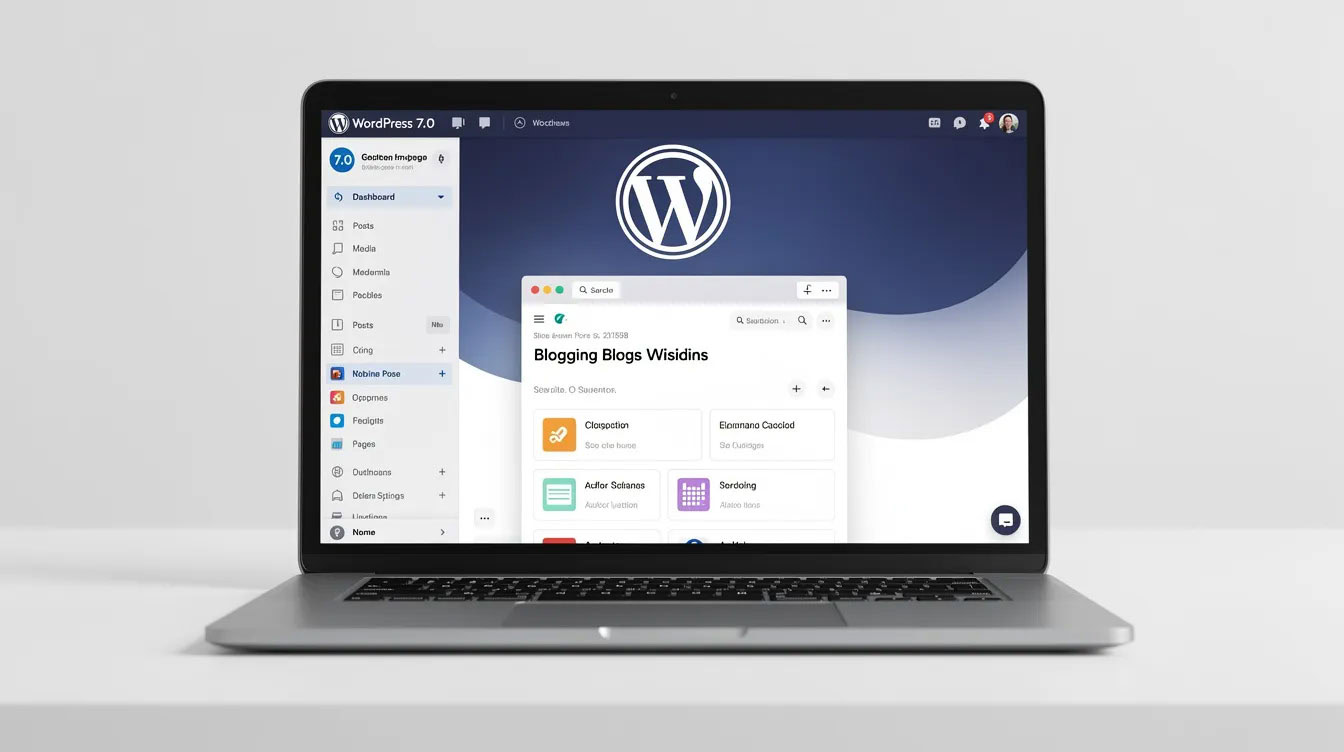
WordPress 7.0 is scheduled for release on April 9, 2026, and it represents more than a standard update. This version officially completes Phase 3 of the Gutenberg project[-3], transforming WordPress from a single-author publishing tool into a collaborative, AI-powered platform. WordPress 7.0 marks the transition from a single-author tool to a collaborative platform with advanced AI infrastructure and a modernized interface. Features such as smart content suggestions, auto-generated alt text, and live multi-user editing will change your workflow substantially.
This piece covers what’s new in WordPress 7.0, including AI integration through the Abilities API and collaboration features. Key features of WordPress 7.0 include simultaneous multi-user editing, a built-in Icons block, native Breadcrumbs, native gallery lightboxes, and enhanced Pattern management. New native blocks introduced in WordPress 7.0 include a Breadcrumbs block for navigation and an Icons block for embedding SVG icons. We also discuss technical requirements and how you can prepare your site for the update.
As the platform evolves, the admin dashboard has been modernized with a new interface, and DataViews now replace traditional list tables for managing content. These updates bring significant improvements to the WordPress admin, including a redesigned wordpress admin area and wordpress backend, with updates to the user interface and experience. The result is a more fluid, user-friendly, and visually appealing experience.
WordPress 7.0 is a landmark release that redefines what’s possible within the WordPress ecosystem. This version introduces a suite of transformative features, including real-time collaboration, expanded site editor capabilities, seamless AI integration, and the debut of PHP-only blocks. These advancements provide a solid foundation for building and managing professional WordPress websites, whether you’re a solo creator or part of a large team. Thanks to the new AI-powered tools, it’s now easier than ever—even for beginners—to quickly create a professional WordPress website with minimal technical effort.
With WordPress 7.0, the platform evolves from a traditional content management system into a dynamic, collaborative workspace. The new real-time collaboration tools allow multiple users to work together on content simultaneously, while the enhanced site editor and only blocks approach streamline the design and customization process. PHP-only blocks offer developers more flexibility and performance, making it easier to create custom solutions without relying on JavaScript. Altogether, these improvements mark a significant step forward, empowering users to build more modern, efficient, and powerful WordPress sites than ever before.
WordPress 7.0 was set to launch on April 9, 2026, during WordCamp Asia Contributor Day. In spite of that, the core team extended the release cycle by several weeks to address architectural concerns with the immediate collaboration feature. The delay centers on finalizing the data storage architecture for syncing presence and content changes between users. After Matt Mullenweg expressed a preference to revisit the proposed custom table design, the team changed focus to ensure the solution works for most users from day one.
The revised timeline remains unconfirmed, with mid-to-late May 2026 as the expected window. WordPress returns to a three-release annual cadence following this launch. Version 7.1 is scheduled for August 2026, and version 7.2 is expected around December 2026.
Version 7.0 marks the beginning of Phase 3 of the Gutenberg project, which focuses on collaboration. This phase represents a change from WordPress as a static publishing platform to a dynamic application framework capable of supporting immediate, multi-user workflows. Phase 3 re-engineers the editor’s data persistence model to handle concurrent editing without collapsing under load.
The architecture implements granular, block-level locking mechanisms and revises the wp_postmeta transaction model to manage high-frequency concurrent updates. User actions become granular operations such as insertText and splitBlock, following an operational transformation principle.
WordPress 7.0 introduces a provider-agnostic AI infrastructure consisting of three core components. The AI Client serves as a PHP API built into core and allows plugins to describe their needs while WordPress routes requests to whatever AI provider you’ve configured. This eliminates the fragmentation where every plugin built its own isolated AI integration. The new AI Connector in WordPress 7.0 provides a foundation for initial features with WordPress’ own AI Experiments plugin and enables the use of API keys from providers like OpenAI, Anthropic, and Google for text and image generation. These connector plugins act as bridges to various AI services, and custom connectors can be developed for any AI service using the provider-agnostic API.
The Abilities API provides AI services with a standardized method to understand your site’s content structure, registered capabilities and available actions. It works with the Model Context Protocol and enables AI assistants like Claude to interact with your WordPress installation. AI services and AI tools are integrated through connector plugins, allowing users to leverage a range of AI providers for tasks such as content and image generation. This integration of AI tools and AI assistance simplifies the process of creating professional-looking websites, offering cost savings and ease of use. The Connectors screen appears in Settings, where you configure AI providers such as Anthropic Claude, Google Gemini and OpenAI through official provider plugins. One configuration powers AI features platform-wide.
Multiple users can now edit the same post or page at the same time, with changes syncing live between connected editors. The system uses Yjs for conflict-free data merging. Connected users see the change without page reloads at the time one editor finishes with a block and moves to another.
The implementation ships with HTTP polling as the default sync provider to ensure universal compatibility. Hosting providers can replace this with WebSocket-based transports through the sync.providers filter to improve performance. The beta period keeps immediate collaboration opt-in to allow broader testing.
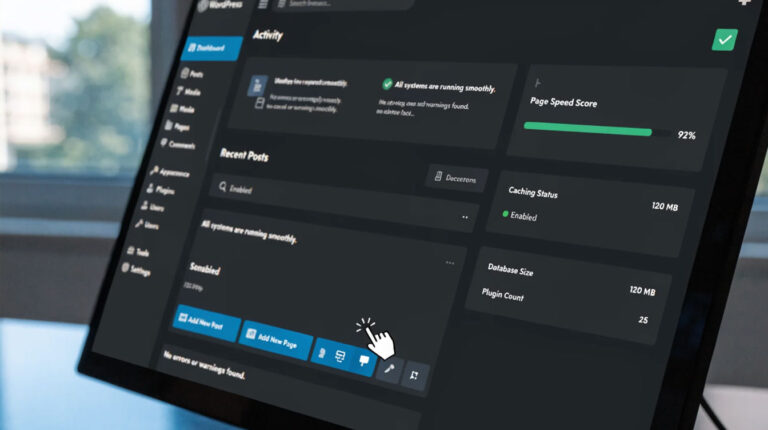
The dashboard receives its first major visual update since 2013. DataViews replaces traditional WP List Tables with a modern, filterable interface featuring cleaner typography, consistent spacing and inline filtering without page reloads. View transitions replace hard page reloads with smooth, app-like navigation between admin screens. A new dedicated Fonts management page appears under the Appearance menu, introducing the new Font Library, which allows users to upload, preview, and apply custom fonts across their entire site without needing additional plugins or code. Block themes now support native font management, improving user experience and ensuring brand consistency. A Command Palette integrates into the admin bar.
The customization experience in WordPress 7.0 has been elevated to new heights. The redesigned admin interface offers a cleaner, more intuitive workspace, making it easier for site owners to manage their professional WordPress websites. The improved block editor introduces expanded design tools, allowing users to fine-tune every aspect of their site’s appearance with greater precision. New design controls within the core block editor now reduce the need for traditional page builder plugins, enabling users to achieve sophisticated, device-responsive layouts without relying heavily on builder plugins or external page builder tools. These built-in features allow users to create complex layouts directly within the block editor, providing an experience similar to or even replacing traditional page builder solutions.
One of the standout features is the built-in AI website builder. This AI-powered builder build tool effortlessly creates websites, enabling instant launch and integrated services like hosting and domain registration. The AI streamlines and automates the website building process, handling design, structure, and content generation, which significantly reduces manual builder work such as coding, layout arrangement, and plugin setup. Site owners can now launch a complete site in record time, with the AI powered website builder handling much of the heavy lifting. Whether you’re building a landing page or a full-scale professional WordPress site, these tools ensure your website looks polished and modern, all from within the familiar admin interface and block editor, while retaining full control over your website’s design, content, hosting, and migration options, thus avoiding vendor lock-in.
The introduction of the AI website builder in WordPress 7.0 marks a significant leap forward in how users create and launch professional WordPress websites. Unlike traditional website builders that require manual selection of templates and painstaking customization, the new AI powered website builder streamlines the entire process through intuitive conversational prompts. Users simply describe their goals, preferred style, or business type, and the AI website builder generates a complete site structure—including homepage, landing pages, and essential content—within minutes.
Customization is effortless with the AI powered website builder. Users can fine-tune color palettes, typography, and layout elements using a visual interface, or prompt the AI to automatically adjust design elements for a cohesive, modern look. The builder supports a wide range of site types, from business and portfolio sites to blogs and ecommerce stores, ensuring flexibility for any project. AI-driven content generation further accelerates the process, providing tailored copy and optimized layouts that align with your brand and audience.
What sets this website builder apart is its ability to automate design suggestions and content creation, reducing the time and expertise needed to launch a professional WordPress site. Whether you’re a first-time site owner or a seasoned professional, the AI powered website builder offers a seamless path to a polished, fully functional website—directly from your WordPress dashboard.
WordPress 7.0’s AI integration centers on a central registry where plugins and themes declare their capabilities in a machine-readable format. Each ability consists of an identifier, a label and description, input and output schemas, an execution callback, and explicit permission controls. This registry makes your site’s functionality listable and inspectable rather than hidden in scattered code.
You register an ability through the wp_abilities_api_init action hook. The input_schema and output_schema arguments define and enforce data shapes. The execute_callback runs after a central permission_callback check passes. Once registered, abilities become available through wp_get_ability() in PHP, the REST API under wp-json/wp-abilities/v1, and a JavaScript client for browser-based execution.
Tools can find registered abilities and surface them. Developers need not write custom wrappers or REST endpoints. The system relies on registry metadata to guide validation, eligibility, and permission checks before business logic runs. WordPress transforms from isolated functions into a unified, discoverable system.
The framework operates on a provider-agnostic model and works with OpenAI’s GPT, Anthropic’s Claude, Google’s Gemini, or self-hosted models through the same standardized interface. The wp_ai_client_prompt() function serves as the recommended entry point and returns a WP_AI_Client_Prompt_Builder instance that converts exceptions to WP_Error objects.
You check whether features can work using methods like is_supported_for_text_generation() and is_supported_for_image_generation() before showing AI-powered interfaces. These checks use deterministic logic to match your configuration against available model capabilities and avoid API calls. The wp_ai_client_prevent_prompt filter allows preventing specific prompts from executing and gives you granular control. No AI call attempts when a prompt is blocked and generate methods return WP_Error.
WordPress 7.0 ships with several AI-powered features when API keys are configured:
A dedicated Settings > Connectors screen appears in WordPress 7.0. You can connect with AI services and avoid multiple third-party plugins. WordPress ships with three featured connectors for Anthropic, Google, and OpenAI that are available from this interface.
The system auto-discovers providers from the WP AI Client’s default registry as it initializes. Built-in connectors register and use hardcoded defaults. The system then queries AiClient::defaultRegistry() for registered providers and merges metadata with provider values taking precedence. The connector creates on its own if your AI provider plugin registers with the WP AI Client. You need no additional code.
Each ability declares its own permission check that WordPress enforces before it dispatches callbacks. This keeps privilege checks centralized and auditable rather than scattered in templates and endpoints. Site administrators configure which content types AI can process and set up data anonymization pipelines. They audit all AI requests with detailed logging. These controls matter for businesses that handle sensitive data or operate in regulated industries.
WordPress 7.0 brings AI agents and automation to the forefront, transforming how site owners manage and grow their WordPress sites. The new AI assistant acts as an intelligent co-pilot, offering real-time content creation suggestions, code snippets, and grammar corrections directly within the editor. This AI assistant streamlines workflows, helping users produce high-quality content faster and with greater confidence.
AI integrations extend beyond text, enabling both text and image generation. With just a few clicks, site owners can generate compelling copy or create unique images tailored to their brand and audience. Users also have the option to run open-source AI models on their own hardware, providing greater privacy, cost savings, and independence from cloud-based services. These AI agents automate repetitive tasks and provide creative inspiration, making it easier than ever to keep your WordPress site fresh and engaging. Whether you’re a blogger, business owner, or content manager, these automation features free up time to focus on strategy and growth.
Collaboration activates when two users open the same post at the same time. The old post-locked flow that kicked editors out disappears. Both editors see each other’s changes live without page refreshes.
Behind the scenes, all connected editors share the same underlying data state via Yjs. When collaboration is active, you see your colleagues’ cursors moving across the screen live, with brief highlight animations suggesting which blocks are being modified. At launch, WordPress supports two simultaneous collaborators per post, configurable through wp-config.php constants.
One critical constraint affects sites with classic WordPress meta boxes. Collaboration disables itself when meta boxes are detected on a post. Classic meta boxes are not synced by the live collaboration system, so WordPress falls back to standard post locking to prevent data loss. Migrate meta box functionality to registered post meta with show_in_rest set to true to enable collaboration on these posts.
WordPress 7.0 builds on the Notes foundation introduced in version 6.9. Notes allow editorial teams to leave contextual feedback on content inside the editor without those comments appearing on the frontend. You can reply in threads and resolve conversations. Review workflows stay inside WordPress instead of routing them through email or external tools.
Email notifications now fire when someone adds a note to a post you authored. This keeps asynchronous review workflows moving even when collaborators aren’t in the editor at the same time.
Notes worked only at the block level before. WordPress 7.0 expands this to support notes on specific text fragments. Editors can select any portion of text and attach targeted feedback to that selection. Select a block and click ‘Add Note’ to drop contextual instructions without leaving the dashboard.
The @mentions feature triggers email and dashboard notifications when you mention teammates in notes. Type @username and the right person sees feedback without checking back manually.
A suggestions mode lets reviewers propose changes without editing the content themselves. Editors without full edit access can leave suggestions that content owners accept or deny. This addresses the trust issue where higher-privilege users might save changes from lower-privilege collaborators inadvertently. The workflow keeps all editorial communication tied to the content and removes the need to track changes across external tools.
Power users will find a wealth of new features in WordPress 7.0 designed to enhance productivity and enable more complex projects. The AI-powered website builder offers advanced customization options, allowing users to quickly assemble sophisticated layouts and designs. The block bindings API introduces dynamic data connections, making it possible to link blocks to custom fields or external data sources for highly interactive websites.
Custom post types are now seamlessly integrated into a modern, streamlined admin experience, replacing traditional WordPress admin tables and significantly improving browsing, filtering, and management across various content types. The media library also serves as a central feature in the post editor, enabling users to efficiently manage, edit, and generate alt text for images, which enhances accessibility and streamlines media management.
The WP AI Client provides a standardized interface for integrating AI services, making it easier for developers and advanced users to add AI-powered functionality to their sites. Enhanced REST API capabilities streamline data exchange and manipulation, supporting the development of custom applications and integrations. These new features empower power users to push the boundaries of what’s possible with WordPress, whether building client sites, launching new products, or managing large-scale, complex projects.
Developers will appreciate the robust set of tools and enhancements introduced in WordPress 7.0. The addition of PHP-only blocks allows for the creation of custom blocks using PHP alone, reducing reliance on JavaScript and simplifying the development process. Improved error messages and enhanced developer tools make debugging and troubleshooting more efficient, ensuring a smoother workflow.
The WordPress Core Team has rolled out several new APIs, including the Abilities API and Block Bindings API, which provide a more structured and efficient way to build custom plugins and themes. These APIs enable developers to register new features, connect dynamic data sources, and create more interactive and automated experiences for users. The integration of AI features and the AI client further expands what’s possible, allowing for the development of sophisticated, AI-powered workflows and professional WordPress websites. With these advancements, developers have more control, flexibility, and power to innovate within the WordPress core and beyond.
The minimum PHP version jumps from 7.2.24 to 7.4 in WordPress 7.0. Sites running PHP 7.2 or 7.3 cannot update. They remain stuck on version 6.9. WordPress recommends PHP 8.3 or higher for optimal performance and full AI feature compatibility. Outdated PHP versions expose your server to known, unpatched security vulnerabilities whatever your CMS.
Database requirements also increase. WordPress 7.0 requires MySQL 8.0 or MariaDB 10.6 as the minimum. MySQL 5.7 extended support ended in October 2023 and became a security liability. Hosts still running these outdated stack components present bigger problems than WordPress compatibility alone.
WordPress 7.0 delivers measurable speed gains through several core optimizations. Block rendering improvements reduce overhead when displaying complex layouts. Database query optimizations lower server response time and affect Time to First Byte metrics. Improved lazy loading handles images and media resources more efficiently.
Client-side media processing shifts image compression and format conversion to the browser before server upload. This reduces CPU usage on your hosting environment and speeds up media uploads. Sites on resource-limited plans benefit most.
The PHP Compatibility Checker plugin scans your site before updating. The plugin tests active plugins and themes against specific PHP versions. It generates reports that identify compatibility issues. Scan results show which files contain deprecated code with specific line numbers to review.
Color-coded compatibility reports make problem sites visible. Red indicates versions below minimum requirements. Yellow shows minimum met but not recommended versions. Green confirms recommended specifications or better.
Custom themes carry the highest upgrade risk because they control templates and enqueue scripts. Sometimes they contain patterns that survived multiple WordPress versions without review. Look for deprecated functions, direct database calls and hardcoded assumptions about editor output. Plugins modifying admin list tables face particular risk since DataViews replaces the underlying DOM structure.
Test business-critical workflows first. A broken contact form matters more than decorative elements on secondary pages.
Live collaboration uses HTTP polling by default. This functions on standard shared hosting without special requirements. WebSocket support provides faster synchronization but remains optional. Hosting providers can implement custom sync providers through the sync.providers filter for improved performance in collaborative environments. Budget hosts with aggressive firewalls may encounter issues with AI Connectors that require unrestricted outbound HTTPS connections.
Your WordPress database contains every post, comment, and link on your site. Database corruption means you lose everything without a proper backup. Database backups and file backups are separate components. Database exports create .sql, .gz, or .bz2 files stored outside your WordPress directory. Files include WordPress core, themes, plugins, uploads, wp-config.php, and .htaccess.
Back up the database first, then files. Keep at least 3-5 recent backups stored in different locations: one on your hosting server, one on cloud storage like Google Drive or Dropbox, and one downloaded to your local computer. This protects against single-point failures.
Automated backup plugins handle scheduled backups. Verify they work with manual checks from time to time. Create a fresh backup before updating to WordPress 7.0 and confirm you can restore it. An untested backup offers no recovery plan.
Never install WordPress 7.0 on your live site. Create a staging environment that mirrors production: same theme and plugin stack with representative content. A nearly empty staging site with different server settings reveals nothing useful.
Clone your production site to staging, then update WordPress to the Release Candidate build. Test business-critical paths: contact forms and checkout flows with login sequences. Check layout breaks and 404 errors. Confirm all integrated services remain operational.
Update plugins and themes before updating WordPress core. Test updates one at a time so you identify which component causes issues. Major plugin developers publish WordPress 7.0 compatibility updates ahead of the official release.
Custom blocks and admin functionality require explicit testing. Open legacy pages using custom blocks to check validation issues or broken layouts. The WordPress 7.0 Field Guide lists deprecated functions and breaking changes.
Go to Settings > Connectors after updating. WordPress 7.0 ships with three featured connectors: Anthropic, Google, and OpenAI. Enter your API key for your chosen provider. These centralized keys power every AI feature throughout WordPress.
Ensuring a smooth experience with the AI website builder is a top priority for the WordPress core team and the broader ecosystem. Users have access to a comprehensive suite of support resources, including detailed documentation, step-by-step tutorials, and active community forums where both beginners and advanced users can find solutions and share best practices. These resources are continually updated to reflect the latest features and improvements in the AI powered website builder.
The WordPress core team and contributors are dedicated to maintaining the stability and reliability of the website builder, regularly releasing updates that address bugs and enhance performance. For developers and power users, the WP AI Client and REST API provide robust integration points, making it easy to connect with other AI tools and extend the builder’s capabilities. This seamless integration ensures that troubleshooting and customization are straightforward, whether you’re building a simple blog or a complex, AI powered professional website.
If issues arise, the AI client’s error handling and clear messaging help users quickly identify and resolve problems. The collaborative efforts of the WordPress core and community ensure that support is always within reach, empowering users to focus on building and growing their online presence with confidence.
The future of WordPress is deeply intertwined with the ongoing evolution of AI technology. The WordPress core team and ecosystem contributors are actively exploring new ways to harness AI and machine learning, building on the solid foundation established by features like the AI website builder, PHP only blocks, and the block bindings API. These innovations have already enabled real time collaboration, dynamic data connections, and advanced content generation, setting the stage for even more powerful AI integrations.
Looking ahead, site owners and developers can expect a steady stream of new features that make building and managing websites faster, smarter, and more intuitive. The continued development of only blocks, enhanced developer tools, and seamless AI integrations will empower both professionals and non technical users to create sophisticated, interactive sites with minimal effort. As AI powered website builders become more advanced, tasks like automated SEO optimization, personalized user experiences, and real time content updates will become standard, further lowering the barrier to entry for anyone looking to establish a professional online presence.
Ultimately, the future of WordPress and AI promises a platform where creativity and efficiency go hand in hand, enabling users of all skill levels to build, customize, and grow their websites with unprecedented ease. The innovations introduced in WordPress 7.0 are just the beginning—expect the WordPress core to continue leading the way in AI-driven web development for years to come.
WordPress 7.0 represents a radical alteration from a simple publishing tool to an AI-powered collaborative platform. Smart content suggestions, immediate multi-user editing, and a provider-agnostic AI framework will change your workflow substantially once you update.
Preparation is critical with these points in mind. Verify your server meets the PHP 7.4 and MySQL 8.0 minimum requirements. Back up your database and files. Test everything on staging before going live. Your custom themes and plugins need compatibility checks to avoid breaking your site.
The features are impressive, but only if your site survives the update intact. Take the preparation steps to make your transition smooth.
No, AI features in WordPress 7.0 are completely opt-in. Nothing happens by default. You need to manually install connector plugins, add API keys for services like OpenAI or Anthropic, and configure the settings before any AI functionality becomes active. If you don’t set up these connections, your site will work exactly as it did in previous versions.
WordPress 7.0 requires PHP 7.4 as the minimum version, though PHP 8.3 or higher is recommended for optimal performance. You’ll also need MySQL 8.0 or MariaDB 10.6 at minimum. Sites running older versions like PHP 7.2 or 7.3 cannot update to WordPress 7.0 and will remain on version 6.9.
Yes, WordPress 7.0 introduces real-time collaboration that allows multiple users to edit the same post or page at the same time. Changes sync live between connected editors without page refreshes. At launch, the system supports two simultaneous collaborators per post, and you’ll see your colleagues’ cursors and edits in real time.
WordPress 7.0 uses a provider-agnostic framework called the Abilities API that works with multiple AI services like OpenAI, Anthropic Claude, and Google Gemini through a single standardized interface. You configure your preferred AI provider through the Settings > Connectors screen, and that one configuration powers AI features platform-wide, including smart content suggestions, auto-generated alt text, and translation assistance.
Before updating, create a complete backup of both your database and files, then test the update on a staging environment that mirrors your production site. Update all plugins and themes beforehand, check that your server meets the PHP 7.4 and MySQL 8.0 requirements, and test critical workflows like contact forms and checkout processes on staging before updating your live site.